Last verified: September 2026. Specifications confirmed against the eCitizen immigration portal (immigration.ecitizen.go.ke) and the official eTA portal (etakenya.go.ke).
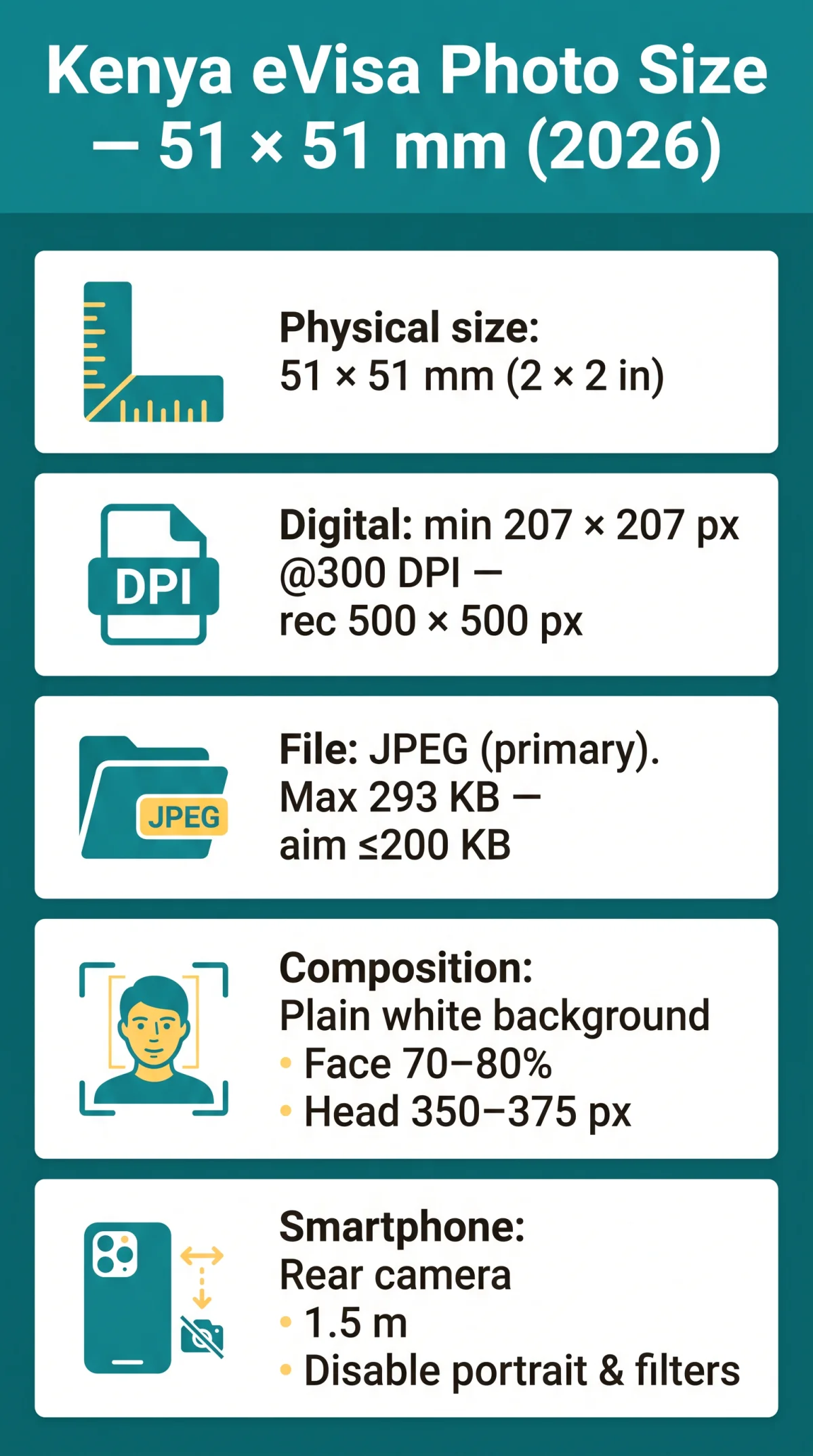
The Kenya eTA photo must be a square 51 × 51 mm (2 × 2 in) image with a plain white background, uploaded as a JPEG under 293 KB. The minimum digital resolution is 207 × 207 px at 300 DPI. The 35 × 45 mm rectangular format used for British passport photos does not apply to the digital eTA upload.
Kenya eTA Photo Dimensions and Digital Format
The eCitizen portal confirms these dimensions for digital upload, not the 35 × 45 mm UK passport format. If your Kenya eTA photo fails the 293 KB limit or 207×207 px minimum, the portal rejects your application. You must re-upload before final adjudication without a new payment.
| Specification | Value | Notes |
|---|---|---|
| Physical dimensions | 51 × 51 mm (5.5 × 5.5 cm / 2 × 2 in) | Square format for digital upload |
| Minimum pixel dimensions | 207 × 207 px | Portal minimum per eCitizen guidelines |
| Recommended pixels | 500 × 500 px | Upper bound for clarity |
| Resolution | 300 DPI minimum | 600 DPI optional; ensures biometric detail |
| Accepted file format (primary) | JPEG / JPG | Primary format for eTA upload |
| Accepted file format (secondary) | PNG | Accepted at certain portal stages |
| Rejected file formats | HEIC, WebP, PDF, TIFF, BMP | Convert to JPEG before uploading |
| Maximum file size | 293 KB | Absolute portal limit |
| Recommended file size | ≤ 200 KB | Reliable upload threshold |
| Scanned copies / photocopies | Not accepted | Original digital photo only |
The eTA portal rejects scanned copies and colour photocopies; the 35×45 mm UK format from Timpson or Boots does not match the required square upload. Crop your Kenya eTA photo to the square 51 × 51 mm frame before starting the Kenya eTA application process. Full guidelines are available on the eCitizen immigration portal and the official eTA portal.
Background, Lighting, and Face Composition Rules
The eCitizen portal’s biometric system rejects off-white, cream, or gradient backgrounds automatically. The Kenya eTA photo requires a plain white background, even lighting, and neutral expression with 70-80% face coverage to meet general Kenya eTA requirements.
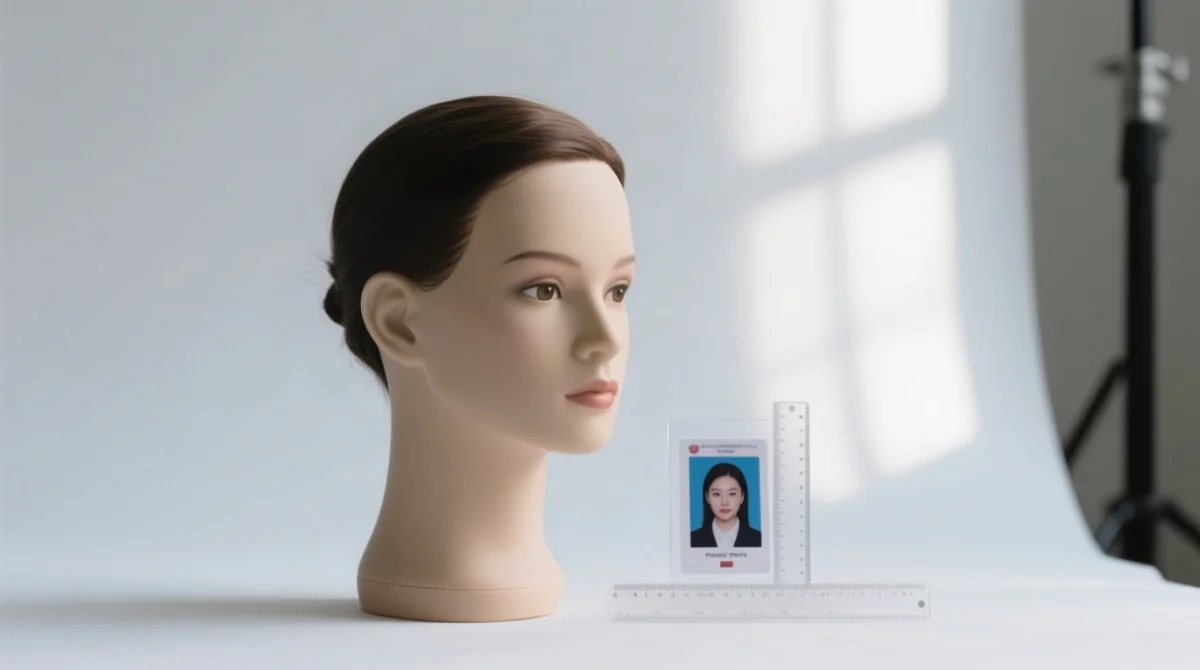
- Background: Solid white with no patterns, gradients, shadows, or objects.
- Lighting: Even, natural or studio lighting with no harsh shadows, glare, or backlight. Face a window for diffused front light.
- Face coverage: The face must occupy 70-80% of the frame, with head height between 350-375 px and a minimum 40 px top margin.
- Expression: Neutral. Mouth closed, both eyes open and looking directly at the camera. Smiling and frowning cause automatic rejection.
- Hair: Tucked behind ears; both ears fully visible; no hair covering the forehead or face.
- Recency: Taken within the last 6 months. Full colour only. No black-and-white or sepia.
Can I Use Portrait Mode or a Blurred Background on My Phone?
Smartphone portrait mode with artificial bokeh will cause automatic rejection of your Kenya eTA photo on the eCitizen portal. Only a real, solid white wall is accepted. No digital background blur.
Front Lighting vs. Back Lighting for Smartphone Selfies
Face a window for even front lighting; standing with a window behind you creates backlight shadows that trigger automatic rejection. Use one consistent light source. Daylight from a window is ideal for your Kenya eTA photo.
Accessories Rules and Smartphone Photo Guide
Remove glasses, headphones, and non-religious headwear for your Kenya eTA photo. Prescription glasses are allowed only without glare and if frames do not obscure eyes; removing them entirely is the safest approach. Sunglasses, tinted lenses, headphones, and uniforms are strictly prohibited. Headwear is allowed solely for religious or medical reasons, provided the full face remains visible from forehead to chin.
Facial Piercings, Tattoos, and Body Art
Facial piercings that cast shadows or distort face contours should be removed before taking your Kenya eTA photo. Permanent tattoos may remain as long as the face is fully visible and identifiable.
Smartphone rear camera at 1.5 m distance, 500×500 px crop, and <200 KB file size: the only three capture parameters you need to check.
Disable portrait mode and filters
Turn off portrait mode and all beauty filters to avoid digital alterations.
Position yourself 1.5 m from a white wall
Stand approximately 1.5 metres from a plain white wall.
Use the rear camera with a timer
Use the rear camera with a timer for higher resolution.
Face a window for even front lighting
Face a window to ensure even front lighting without shadows.
Crop to a 500 × 500 px square
Crop the image to a 500 × 500 px square format.
Verify file size is under 200 KB
Verify the final file size is under 200 KB before uploading.
iPhone: Convert HEIC to JPEG. Navigate to Settings > Camera > Formats and select “Most Compatible.” Samsung: Open Camera > Settings > Picture Size and select the 1:1 square ratio. The Kenya eTA photo portal rejects HEIC, WebP, and PDF formats outright.
Are Beauty Filters or Auto-Retouch Allowed?
All digital beauty filters, skin smoothing, and auto-retouch features must be disabled. The eCitizen portal prohibits digital alterations. Any retouching causes automatic rejection of your Kenya eTA photo by the biometric verification system.
Free Kenya eTA Photo Crop Guide
A free downloadable PNG crop template marks exact zones: 40 px top margin, 350-375 px face zone, and chin line for perfect framing. Use this template overlay in any photo editor to align your head position before cropping to the 51 × 51 mm square. The template ensures your Kenya eTA photo meets the pixel-precise composition requirements that the eCitizen portal checks automatically.
Special Cases: Photos for Babies, Toddlers, and Medical Conditions
Photo Requirements for Babies and Toddlers
Baby Kenya eTA photos use the same 5.5 × 5.5 cm dimensions as adults for a Kenya eTA for minors. Infants may be laid on their back on a plain white sheet or placed in a car seat with a plain white sheet behind. No parent, guardian, or other person may appear in the frame. Toys and pacifiers are prohibited. Infant eyes need not be fully open; non-infant children must have eyes open and looking towards the camera.
Medical Condition Affecting One Eye
Applicants with a medical condition covering one eye should contact Kenya eTA support at +254 717 436 070 or [email protected] for an individual exemption assessment to avoid a rejected Kenya eTA application. The portal evaluates medical exceptions case-by-case for your Kenya eTA photo.
Common Rejection Reasons and How to Fix Each One
Wrong background colour, facial shadows, and a face occupying less than 70% of the frame are the top Kenya eTA photo rejection causes. The full catalogue below covers 18 documented failure modes.
| # | Rejection Cause | How to Fix | Frequency |
|---|---|---|---|
| 1 | Wrong background colour (grey, off-white, patterned) | Retake against a plain white wall | High |
| 2 | Shadows on face or behind head | Move 1.5 m from wall; use even front lighting | High |
| 3 | Face too small (<70% of frame) | Crop tighter; head height 350-375 px | High |
| 4 | Glasses with glare or frames obscuring eyes | Remove glasses entirely | High |
| 5 | Smiling or non-neutral expression | Keep mouth closed; relax face | High |
| 6 | Blurry or low-resolution image | Use rear camera; ensure good lighting; hold steady | Medium |
| 7 | Overexposed or underexposed face | Adjust lighting; avoid direct flash; use diffused daylight | Medium |
| 8 | Head tilted or off-centre | Hold camera at eye level; use grid overlay | Medium |
| 9 | Unauthorised headwear | Remove all headwear; religious exception requires full face visibility | Medium |
| 10 | Headphones or earbuds visible | Remove all audio accessories | Medium |
| 11 | Scanned copy or colour photocopy | Use an original digital photo; do NOT scan a printed photo | Low |
| 12 | File size exceeds 293 KB | Compress JPEG to 80-85% quality; use tinypng.com or squoosh.app | Low |
| 13 | Wrong file format (HEIC, WebP, PDF) | Convert to JPEG: iPhone Settings > Camera > Formats > Most Compatible | Low |
| 14 | Photo older than 6 months | Retake a fresh photo; even minor appearance changes warrant a new photo | Low |
| 15 | Watermarks, date stamps, or frames | Use clean, unedited image; crop out any borders | Low |
| 16 | Objects or food in the background | Clear the background; move to a clean white wall | Low |
| 17 | Mixed lighting sources (colour cast) | Use one consistent light source; daylight from a window is ideal | Low |
| 18 | Piercings distorting face contour | Remove jewellery that casts shadows or alters facial contour recognition | Low |
Kenya eTA Photo vs. UK Passport Photo
| Specification | Kenya eTA Photo | UK Passport Photo |
|---|---|---|
| Dimensions | 51 × 51 mm square | 35 × 45 mm rectangle |
| Background | Plain white | Light grey or cream |
| Expression | Neutral, mouth closed | Neutral, mouth closed |
| Format | JPEG digital upload | Printed photo |
Timpson and Boots output (35×45 mm) is rectangular. The Kenya eVisa photo size requirement is a square 51×51 mm. Use a smartphone, not a photo booth, to prepare your Kenya eTA for UK citizens. A UK photo booth costs £5-8; a smartphone Kenya eTA photo costs £0. Photo requirements may change without notice. Always verify on the official eTA portal before applying.
Kenya eTA Photo Requirements FAQ
What is the exact Kenya eTA photo size in millimetres?
Same as the main spec: 51 × 51 mm square (5.5 × 5.5 cm / 2 × 2 in). The 35 × 45 mm rectangular UK passport format is not accepted for the digital eTA upload.
Does the Kenya eTA photo need a white background?
Yes. Plain white only. Off-white, light grey, or cream backgrounds cause automatic rejection by the eCitizen portal’s verification system.
What happens if my Kenya eTA photo is rejected? Can I resubmit?
If your photo is rejected, you can typically upload a new photo before the final adjudication of your application. The processing fee is non-refundable, but a photo re-upload does not require a new payment. Check your email for specific re-upload instructions.
What is the minimum resolution for a Kenya eTA photo?
The Kenya eTA photo requires a minimum resolution of 300 DPI. At a minimum of 207 × 207 px, this ensures sufficient detail for biometric verification. A maximum of 500 × 500 px is recommended for optimal upload quality.
What file format and size does the Kenya eTA accept?
The Kenya eTA portal primarily accepts JPEG files; PNG may be accepted at certain upload stages. The file should be under 200 KB (absolute portal limit: 293 KB). HEIC, WebP, PDF, TIFF, and BMP are not accepted.
Can I wear glasses in my Kenya eTA photo?
Prescription glasses are allowed only if there is no glare on the lenses and the frames do not obscure your eyes. Sunglasses and tinted lenses are never permitted. Remove glasses entirely to avoid issues.
Can I wear a headscarf or hijab in my Kenya eTA photo?
Yes, head coverings are allowed for religious or medical reasons. Your full face must be visible from the front hairline to the chin, and the headscarf must not cast a shadow on your face.
Can I have a beard or stubble in my Kenya eTA photo?
Yes, facial hair is permitted as long as your face remains fully visible and identifiable. Ensure your beard does not obscure the contours of your jaw, chin, or mouth.
Will my eTA photo be used for biometric gates at JKIA?
Your uploaded Kenya eTA photo is used for identity verification during the application process. Kenya’s e-Gates at Jomo Kenyatta International Airport may require separate biometric enrollment upon arrival.
I took my photo more than 6 months ago. Do I need a new one?
Yes. Kenya eTA guidelines state the photo must have been taken within the last 6 months. If your appearance has changed significantly, retake regardless of the 6-month rule.
Is there a free online tool to resize my photo to Kenya eTA requirements?
Yes. Popular options include MakePassportPhoto.com, Passport Photo Online, and IVCAM. Always verify output against the 51 × 51 mm / 500 × 500 px specifications before uploading.
Do I need a professional studio photo for my Kenya eTA application?
No. You can take a compliant Kenya eTA photo with your smartphone: plain white background, even lighting, neutral expression, and correct cropping to 500 × 500 px. A professional studio is not required.